Today
A morning list and an evening list. Each step can point at a product on your shelf. Tick what you did. Call a step can check or clear a step from a short sound. A finished day extends the streak.
Skincare check-in
Build the routine you actually use. Check off the morning and the evening. Keep a streak, and notice when a jar is near the end of its open-jar window. Nothing is uploaded.
Nimvelle is a cosmetic journal for your own shelf. It is not a medical device, and it does not diagnose your skin.
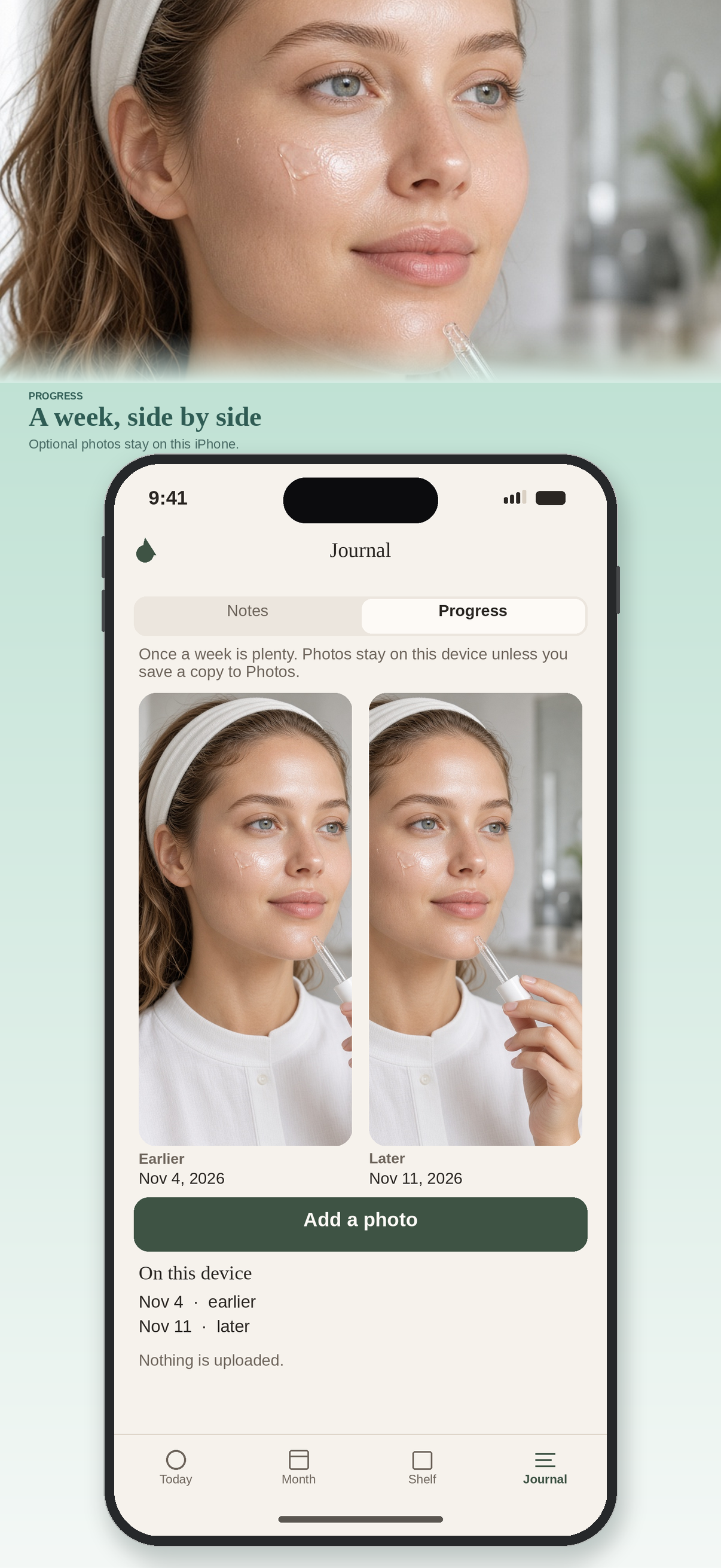
These are the screens of Nimvelle: today, the month, the shelf, notes, and progress photos.
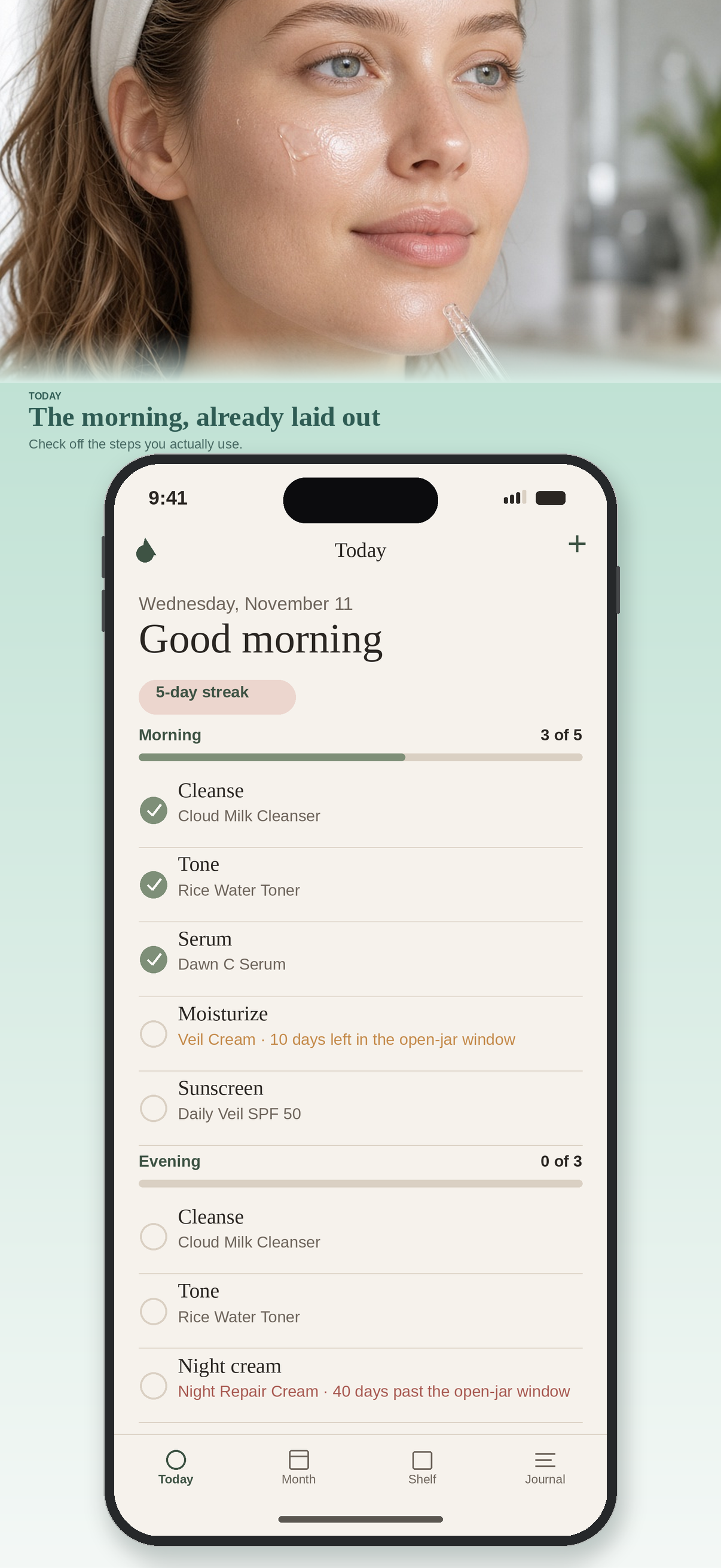
A morning list and an evening list. Each step can point at a product on your shelf. Tick what you did. Call a step can check or clear a step from a short sound. A finished day extends the streak.
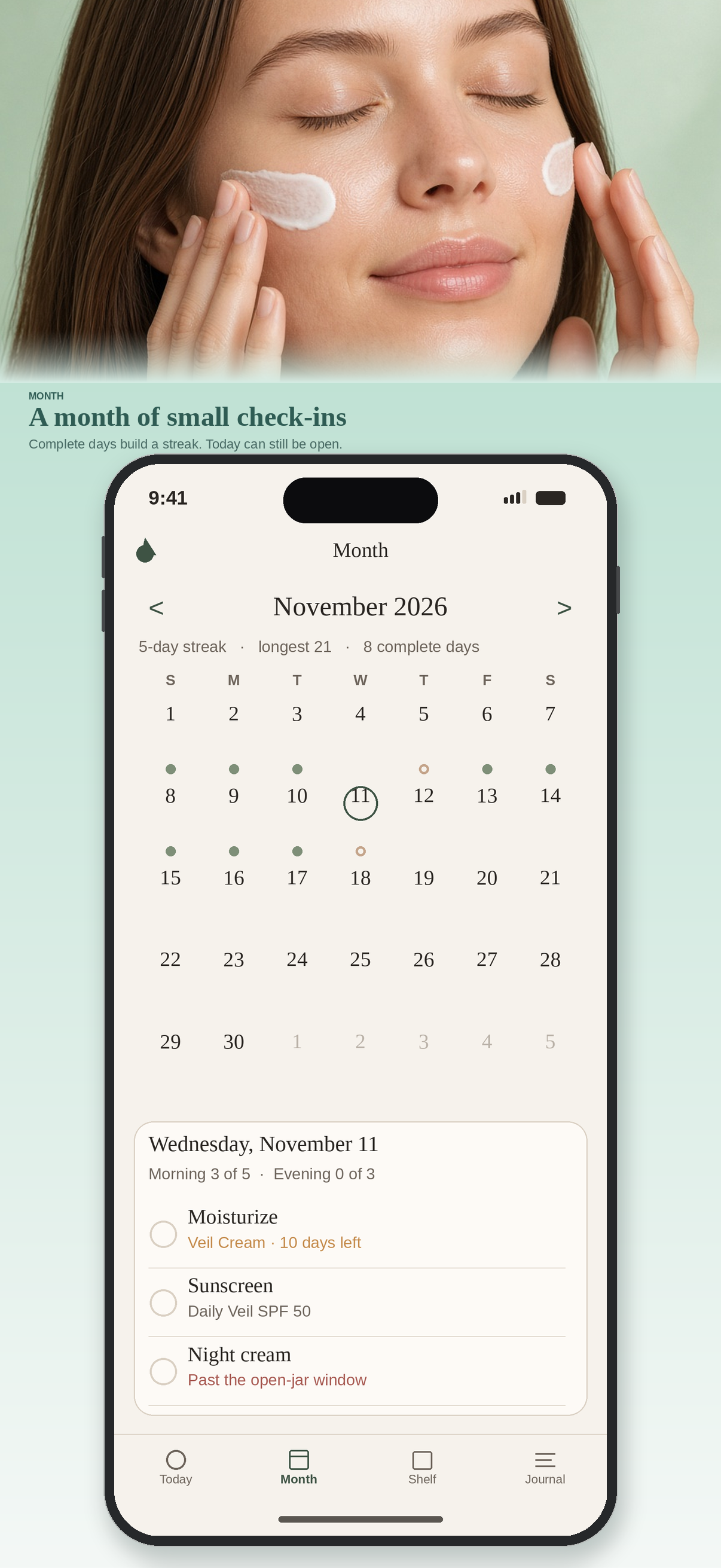
A calendar of complete and partial days, with the streak and the longest run beside it. Open any day and check it in, including yesterday.
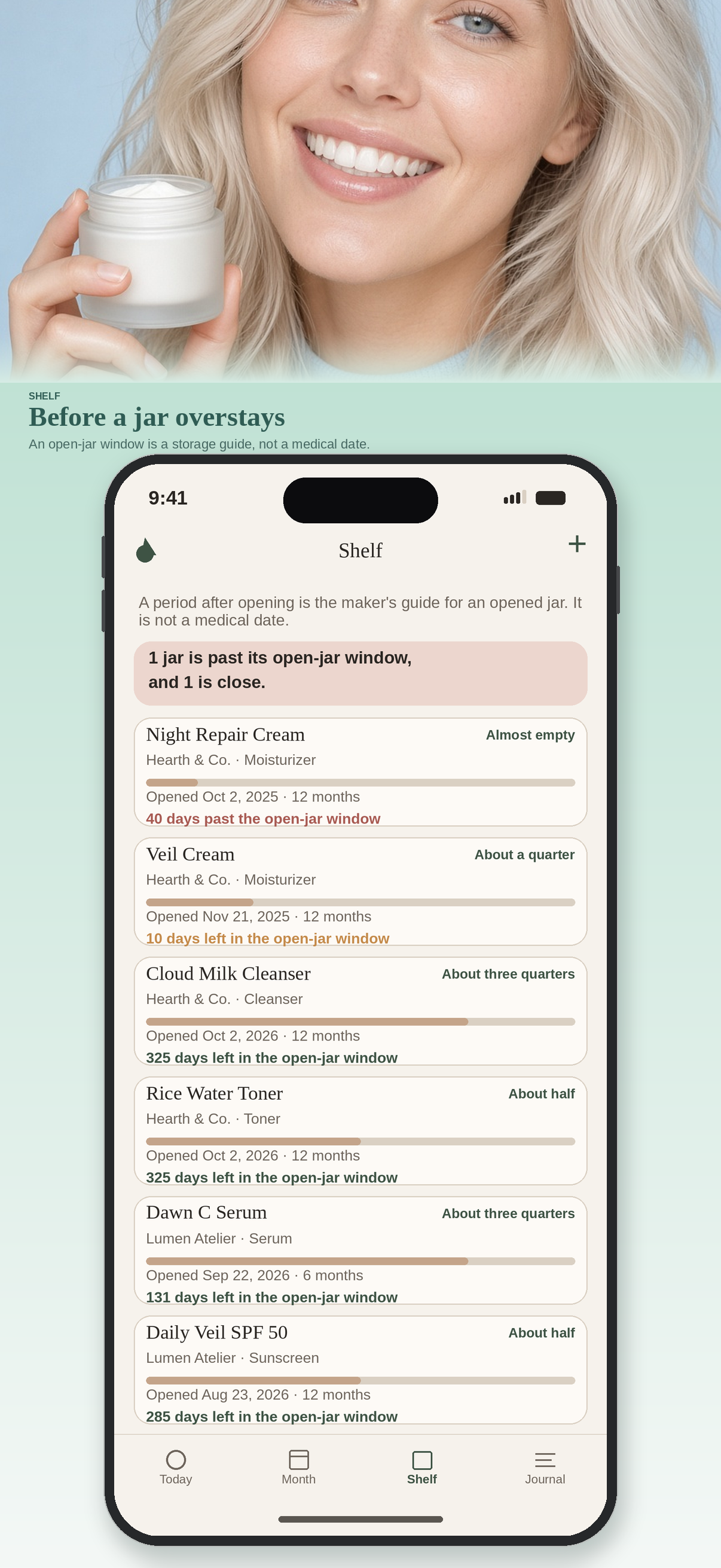
Open date, the period after opening printed on the pack, and a note for how full the jar feels. Nimvelle warns before that window ends. The date is a maker’s storage guide, not a medical date.
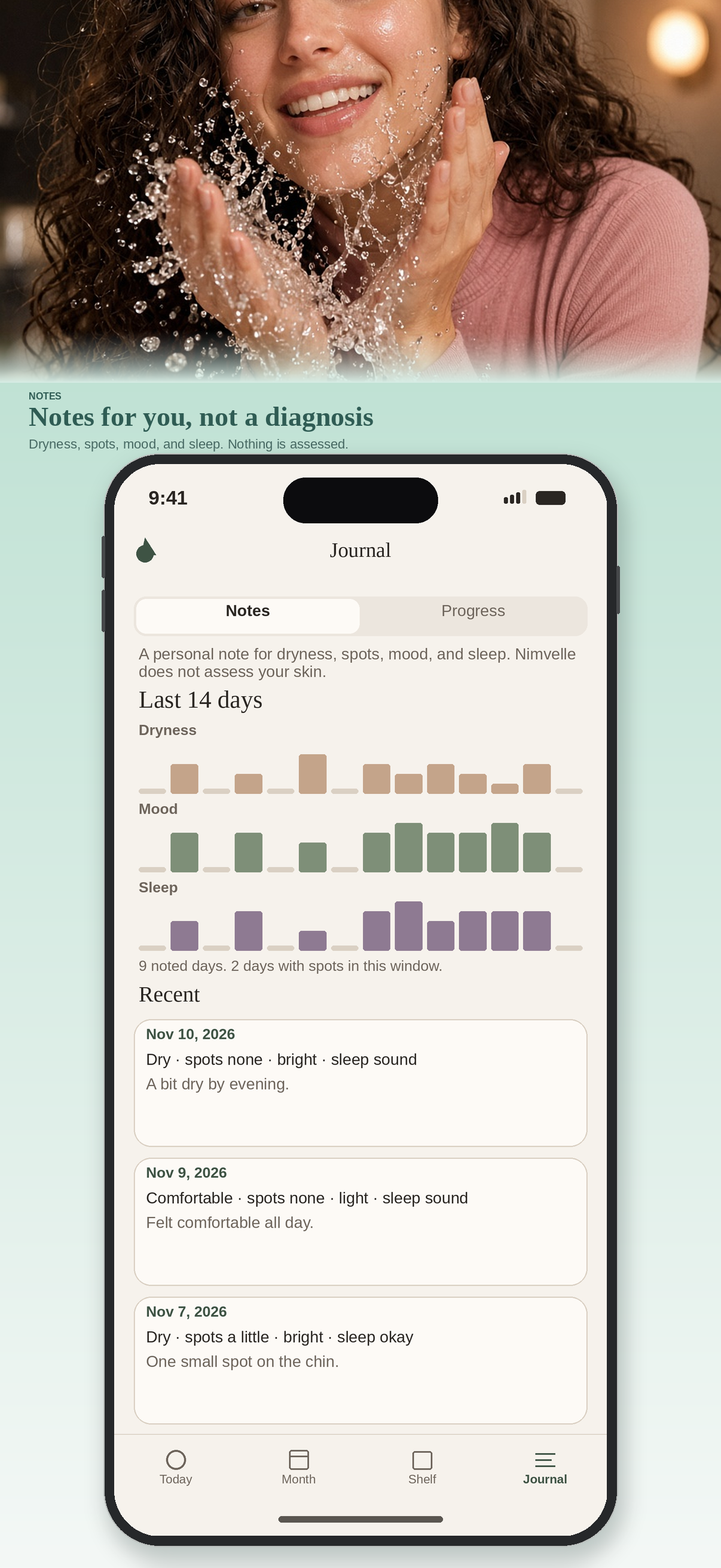
Optional notes for dryness, spots, mood, and sleep, with a simple two-week chart. Optional progress photos, compared side by side, stored only on the device. Reminders are local and off until you ask.
A sample shelf is included so the first launch is not empty. Remove it in About when your own products are enough. Notes and photos are memories, not an assessment.
Nimvelle has no account and no ads. The routine, products, notes, photos, and reminder times stay on the iPhone or iPad. Take a photo stores a progress picture on the device. Call a step listens for one short sound and does not save it. A page you open can use the network.
Read the privacy policy and the terms of use. The same text is inside the app.
Nimvelle has no account, so there is no login to recover. If you have a question, a problem with the routine, or a request about your data, write to us. We read this address:
Please include the device model, the iOS version, and a short description of what you need. If a picture would help, you can attach it to the email.
The same address is on the privacy policy and the terms of use.